Live feed routing
Send each supported ADM event to the right Discord channel.
 Wandering Bot
Platforms and providers
Explore the PC, Xbox, PlayStation and Nintendo Switch 2 demonstrations. PC hosts can expose BattlEye RCon, server files or both; console workflows use their supported Nitrado connection.
PC and every DayZ console
Run Wandering Bot on PC, Xbox, PlayStation or Nintendo Switch 2. Each server profile shows only the controls that work for its platform, while the same Wandering look continues through Discord, the web dashboard and the Android app.
PC control room demonstration
Wandering Bot keeps the RCon password on the server. Authorised staff can refresh the live BattlEye roster, broadcast, kick and request a verified player ban on compatible PC hosts. A ban requires a unique BattlEye GUID observed for this exact server; an ambiguous or unverified name is never enough. PC event feeds use server logs through separate SFTP, FTPS or FTP access when the host provides it.
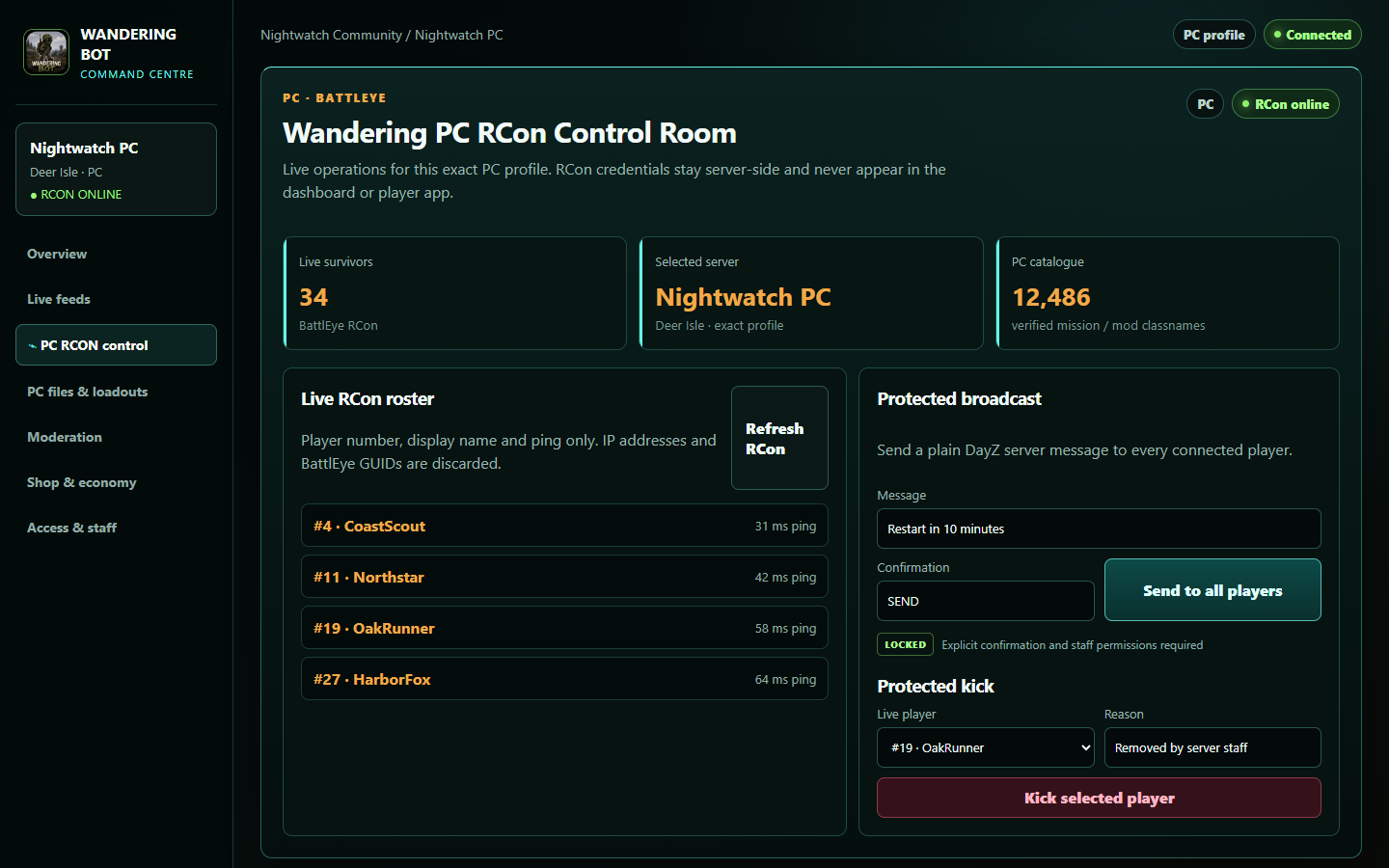
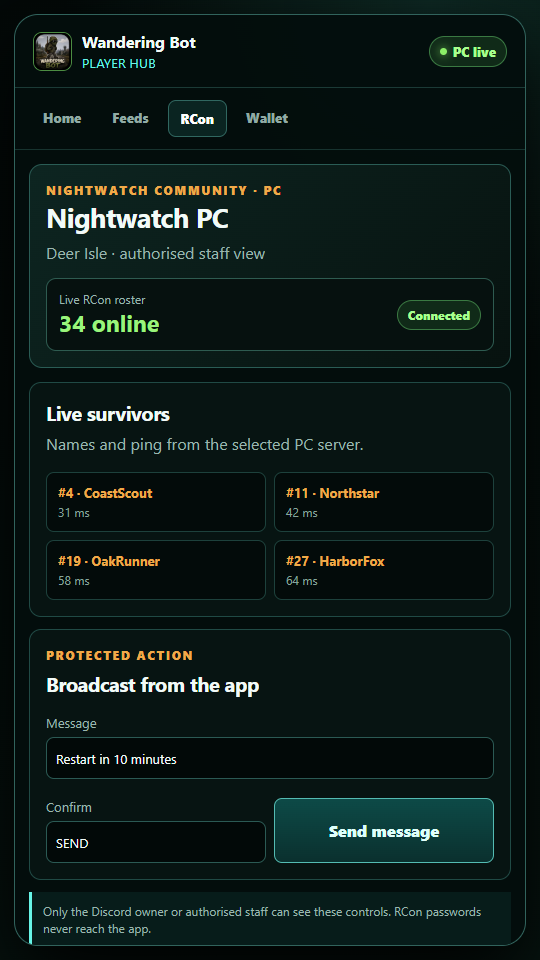
Select the provider or another compatible PC host, then save BattlEye RCon privately.
Only player number, display name and ping appear in the control screen. Verified GUIDs stay private to the worker.
Optional SFTP, FTPS or FTP access powers ADM/RPT feeds, mission scans and protected file tools.
Broadcast and kick require explicit confirmation. Ban and unban requests require a unique verified PC identity and an auditable final result.
Demonstration only—nothing on this public page connects to a server or performs an RCon action.
Xbox demonstration
Connect the Xbox server through Nitrado, choose the Discord feeds you want and manage supported console workflows from the Wandering dashboard. The interface stays honest about delayed log observations—this is not PC RCon or live GPS.
Send each supported ADM event to the right Discord channel.
Preview and validate protected XML or JSON work before upload.
Run maps, economy, shop, factions and leaderboards from one profile.
PlayStation demonstration
Wandering Bot follows the PlayStation server's Nitrado files and turns raw events into readable Discord posts, map activity and staff tools. Platform-specific controls stay separate from anything that only works through PC RCon.
Readable event cards retain the evidence staff need without pretending to be live tracking.
Build circular or boundary zones and route matching alerts.
Use the app, economy, shop and faction tools around the same server profile.
Nintendo Switch 2 demonstration
The guided setup stores Nintendo Switch 2 as its own platform and uses the correct DayZSwitch mission roots for ADM, RPT and protected server-file discovery. Discord, dashboard and app tools then follow that exact profile.
The setup keeps it distinct from Xbox, PlayStation and PC.
Mission and log searches use Nintendo Switch 2 roots.
Connect feeds, maps, economy, shop and community tools to this profile.