Find an area
Pan and zoom your own server’s map. Narrow the recorded period, choose builds or item placements, and filter by builder or minimum actions.
 Wandering Bot
Building Activity Map · Administrator tools
Explore recorded building and item-placement activity on your own DayZ server maps. Find an area, inspect its recorded builders and see what was logged there, with the last recorded times.
Administrator sign-in and appropriate access to the selected server are required. Your community’s activity is never published on this page.
Choose a server, zoom and pan around an area, then open its activity circles to inspect the observations behind them. Use the builder, time, action-type and minimum-activity filters to focus your review.
Turn on the optional second panel to compare another permitted server. Each panel keeps its own map and filters.
Inside the administrator dashboard
This comparison shows Nasdara and Sakhal using Wandering Atlas cartography. The builders, locations and activity shown here are synthetic demonstration data.
Open the full-size demonstration ↗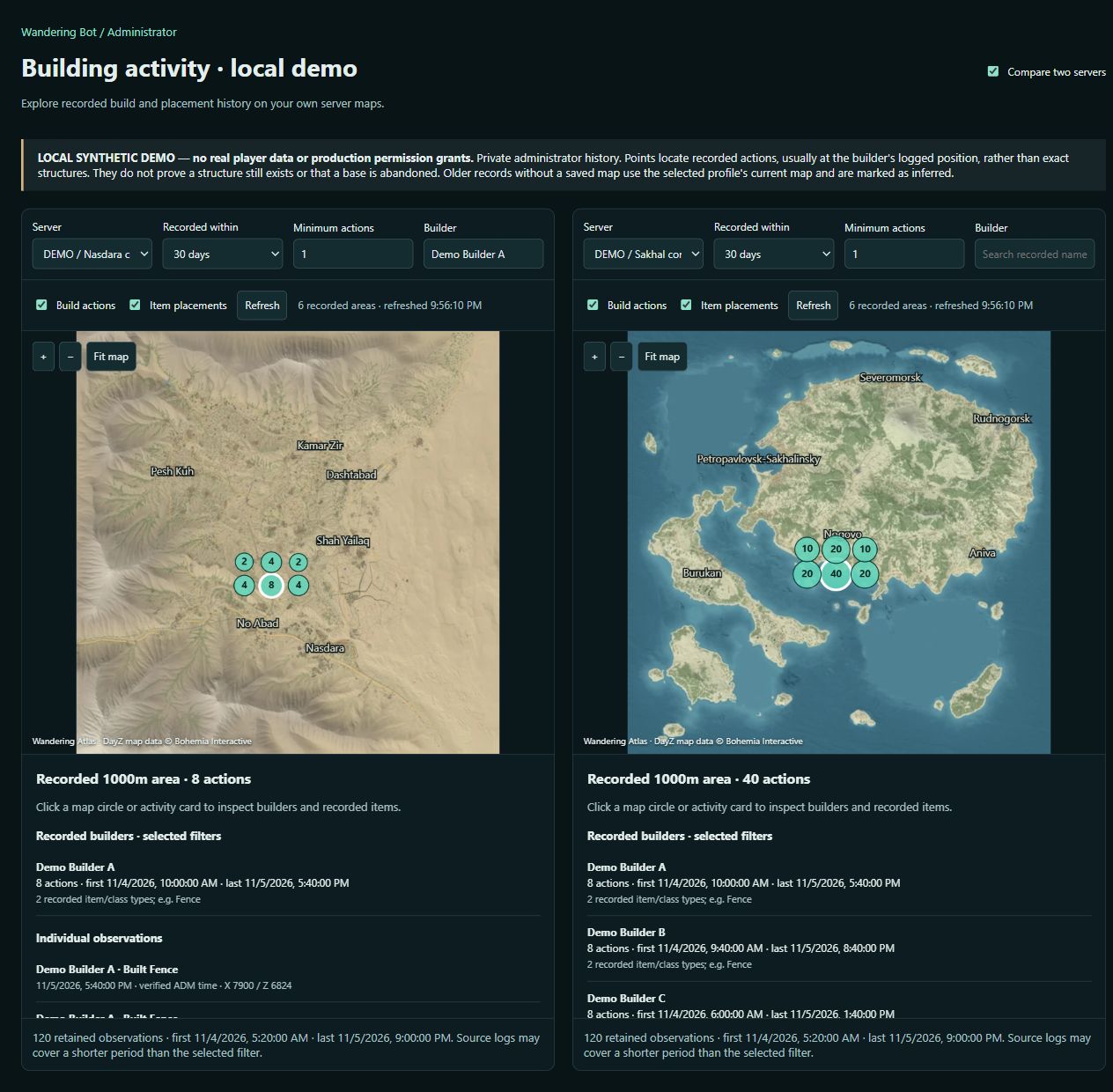
Pan and zoom your own server’s map. Narrow the recorded period, choose builds or item placements, and filter by builder or minimum actions.
Open an area to see who was recorded there, the item or class reported by the log, and first and last recorded activity times.
History depends on retained logs. Points usually reflect the builder’s logged position, not a surveyed structure. Older records can have an inferred map, which the tool labels.
The administrator map checks your login and server permissions. Comparison is limited to your permitted profiles; public Atlas groups and community map links do not expose building activity. Review player records under your community’s consent and privacy rules.
Recorded actions do not prove that a structure still exists or that a base is abandoned. This is a history tool for administrator review.
It maps retained build and item-placement observations from your connected server logs. Inspect the recorded builder, item or class and time. It is an activity history, not a live survey of everything currently standing.
Yes. Choose your own permitted server profile in each panel. Each keeps its own map, filters and recorded history; one server’s coordinates are not transferred onto the other map.
Authenticated administrators with the appropriate server permissions can review only their permitted profiles. Public Atlas visitors cannot open player activity or private building records.
No. A quiet period or old build observation does not establish abandonment, ownership or the current state of a structure. Logs may be incomplete or cover less time than the selected filter.