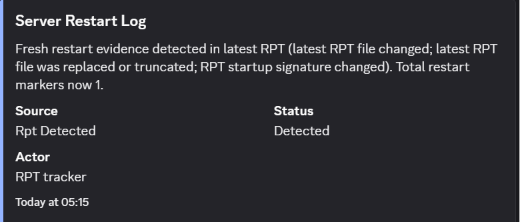
Show restart detection and RPT evidence in a clear staff-facing format.
 Wandering Bot
Host connections and CE XML tools
Use guided DayZ server tools for supported restart schedules, CE XML events, airdrops, hordes, loadouts and guarded file workflows. Available actions depend on the selected platform, host and connection.
Server workflow examples
Use proof screenshots to show restart evidence, dashboard changes, ban-list audit trails and live survivor status without exposing credentials.
Show restart detection and RPT evidence in a clear staff-facing format.
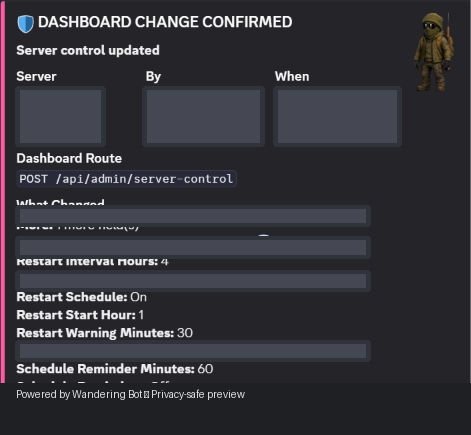
Record important server-control changes for owner and staff visibility.
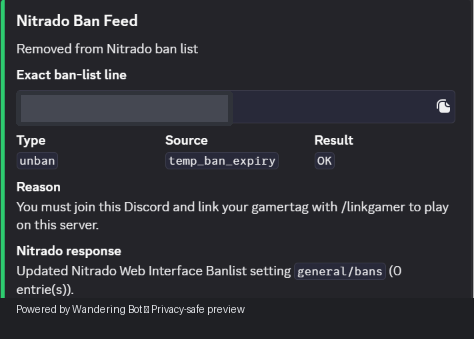
Keep an auditable feed of provider-specific ban actions and their server response.
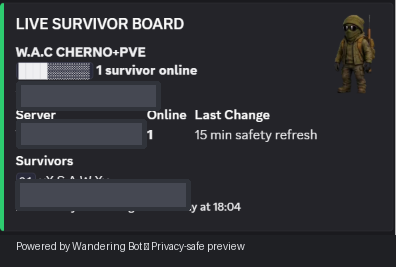
Give your community an at-a-glance view of who is online and active.
Choose the feeds that suit your community. New feed types and owner-controlled routing are continually being added.
Compare feed accessConnect your host for Discord feeds, ADM status, supported restart checks and protected file tools. Confirm the available connections before choosing a workflow.
sience i start using wandering bot i was wondering if it will suit my request , well after a while it its not just suit my needs and also alert me when something its going wrong and helps me indentifie the problem and solve it , also a very responsive bot with a best commands , i also want to say its way more Exclusive than many premium bots that are on the market , I recommand for all owners to have it in their server , Give it a chance and you will be amazed what my Wandering Boy can do <3
This bot is actually amazing, i was struggling with it at first, but Wandering Guy was massively helpful with EVERYTHING. I recommend this bot and service to anyone and everyone!!
Wanderingman has given countless hours of support getting this working on the switch console. The bot itself works flawlessly with drops, shops and countless clever features I've not even fully explored yet. Complete 10/10 recommendation - My personal discord is .hamilton - feel free to message me if you ever consider buying this and as a punter I'll happily talk you into it!
good i like this .... <3
The bot functions great, with plenty of options. The translation feature is pretty unique and handy for my server which has some international players. The owner of the bot is super helpful and on the ball if you have any issues, would 1000000% recommend!
love the feeds, pretty quick and looks good! cant complain right now, but pretty new to it.